NameBright
  • Customer Guides
  • Knowledgebase
  • FAQs
  • Contact Support
My Account

Customer Guides

Account Setup & Access

Create your account, log in, secure it with two-factor authentication, and set up delegate accounts for staff or clients.

  1. Help Center/
  2. Customer Guides/
  3. Account Setup & Access/
  4. Update Permissions for a Delegate Account

Account Setup & Access

  • Create a NameBright Account
  • Log In to Your NameBright Account
  • Reset Your Password
  • Recover Your Username
  • Enable Two-Factor Authentication
  • Set Up a Delegate Account for Staff or a Client
  • Update Permissions for a Delegate Account
  • Close or Deactivate a NameBright Account

Update Permissions for a Delegate Account

GUIDE-1.7 · 1 min · Updated September 2026

  1. Go to My Account , then Account Delegation .

  2. Select the delegate account you want to adjust.

  3. Select Permissions .

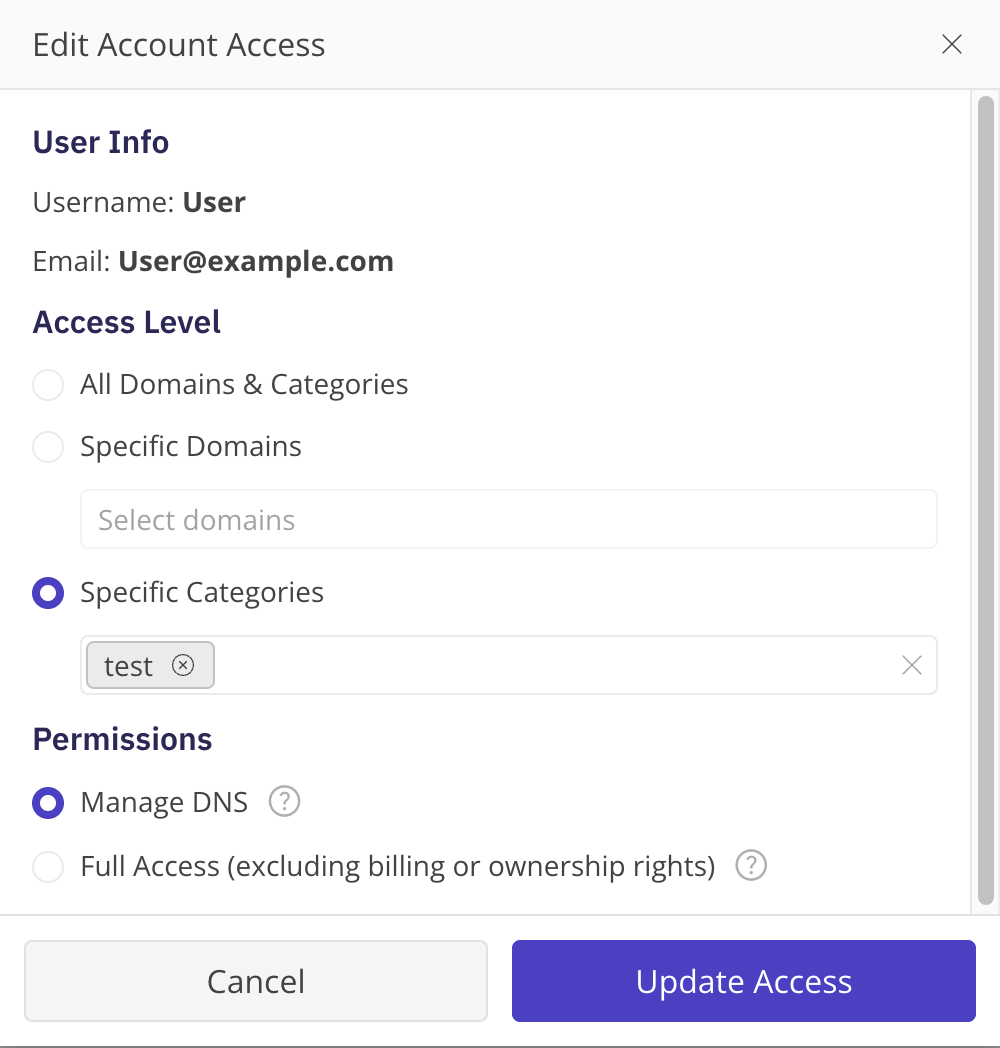
  4. Select the new access level and/or permission level.

  5. Select Save .

The Account Delegation permissions screen for a delegate account, showing the access-level and permission-level choices

Related

  • Set Up a Delegate Account for Staff or a Client →
  • What a Delegate Account Is For →

Still need help?

Real people, real answers

Our support team is available Mon–Fri, 8am–5pm Mountain Time. For urgent issues outside business hours, submit a ticket and we'll respond first thing.

Contact Support

Help Center

  • Customer Guides
  • Knowledgebase
  • FAQs
  • Contact Support
  • System Status

NameBright

  • Domain Search
  • Transfer a Domain
  • TLD Pricing
  • Domain Auctions
  • API Access

Company

  • About Us
  • Trust & Security
  • Industry Engagement

Legal

  • Privacy Policy
  • Terms & Conditions
  • Dispute Policy
  • RDAP Terms

Account

  • Create Account
  • Log In
NameBright

NameBright is an ICANN-accredited domain name registrar.

For questions or concerns email abuse@namebright.com © 2026 NameBright.com. All Rights Reserved.