Create your account, log in, secure it with two-factor authentication, and set up delegate accounts for staff or clients.
Set Up a Delegate Account for Staff or a Client
GUIDE-1.6 · 1 min · Updated September 2026
Go to My Account , then Account Delegation .
Accept the terms and conditions, then select Get Started with Account Delegation .
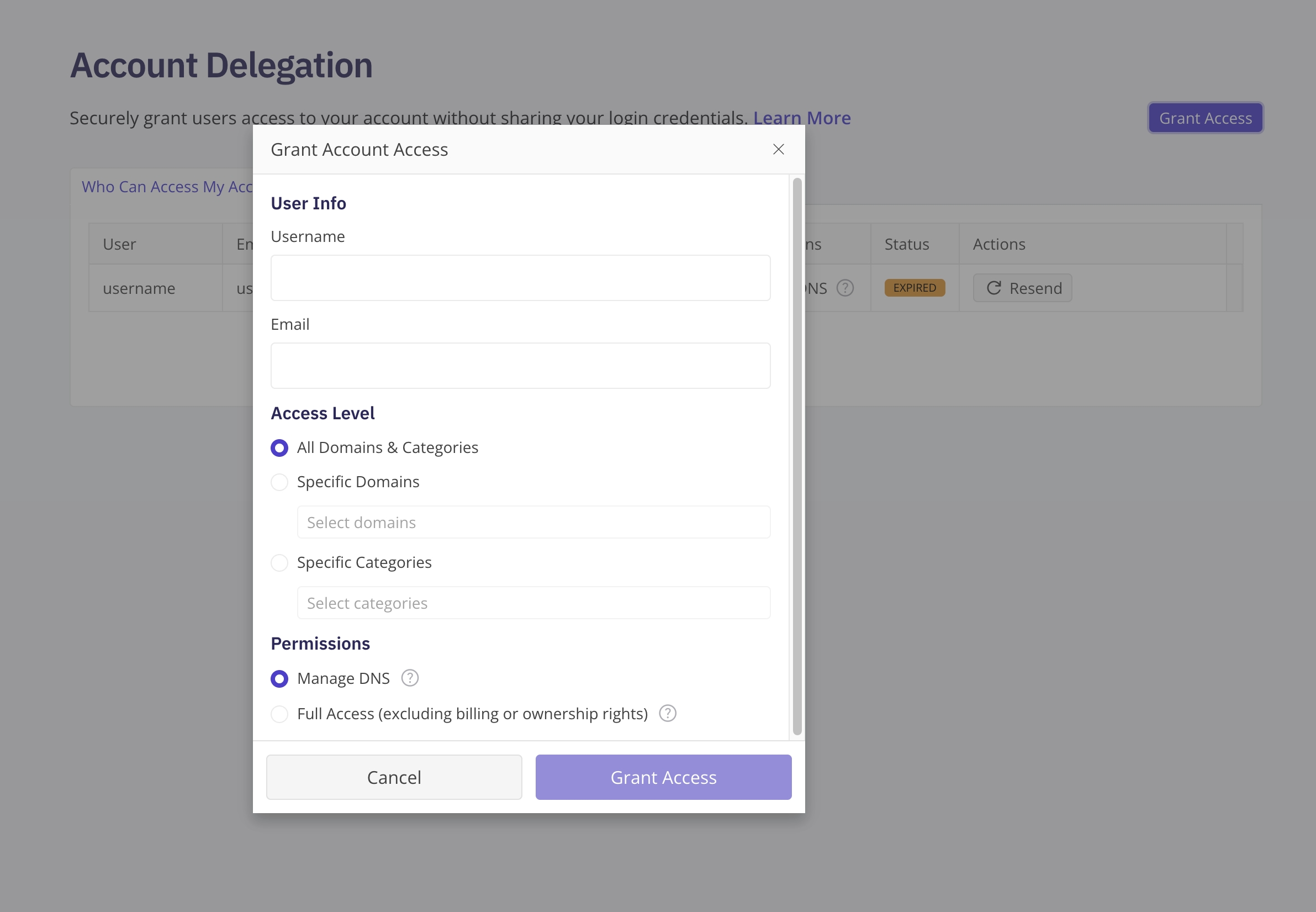
Enter the username and email address for the person you want to delegate your account to.
Select an access level : All Domains & Categories, Specific Domains, or Specific Categories.
Select a permission level : Manage DNS, or Full Access (excluding billing or ownership rights).
Select Grant Access .
The person you delegated to accepts the invitation from their own account before access takes effect.
A delegate account uses its own login, separate from yours and from any other delegate account.
Transfer, push, and delete permissions always stay locked to your primary account, no matter how a delegate account is configured. A delegate account can't move domains out of your account, push them to another account, or delete them, regardless of which other permissions you grant it.