Verify Your Contact Information

GUIDE-4.3 · 1 min · Updated September 2026

  1. Log in to your NameBright account.

  2. Go to My Account , then Verification .

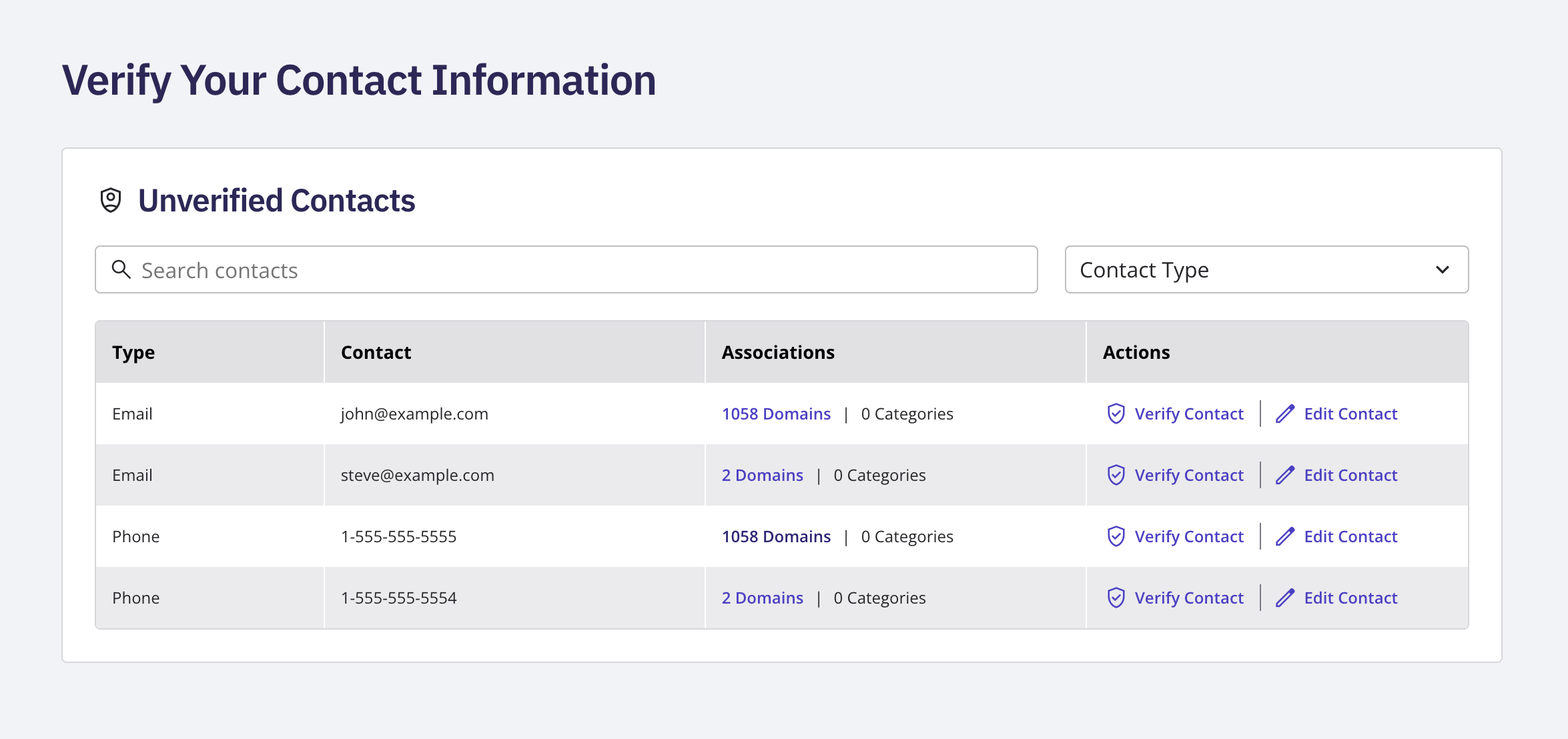
  3. Review the Unverified Contacts list. Each row shows the contact type (email or phone), the contact itself, and how many domains and categories use it.

  4. Use the Actions on a row to update or verify that contact.

  5. Use the filter above the table to narrow the list by contact text or by type.
Verification is tracked per email address or phone number, not per individual domain, so if the same unverified contact is used across many domains, fixing or verifying it once clears it everywhere that identifier is used.

The Unverified Contacts page showing the Type, Contact, Associations, and Actions columns

Related